If you are looking for the Menace casino app, here is the honest, complete answer in one place. Menace has no native app in the Apple App Store or Google Play — and that is by design, not an oversight. Instead, the Menace casino app experience is delivered as a Progressive Web App you install straight from your browser.
This guide walks you through installing Menace on iPhone and Menace on Android, explains exactly what a PWA is, shows the full menace casino mobile game library, and warns you clearly about fake APK files. Everything below is written for mobile-first players in the Philippines who want a fast, safe setup.
What Is the Menace PWA?
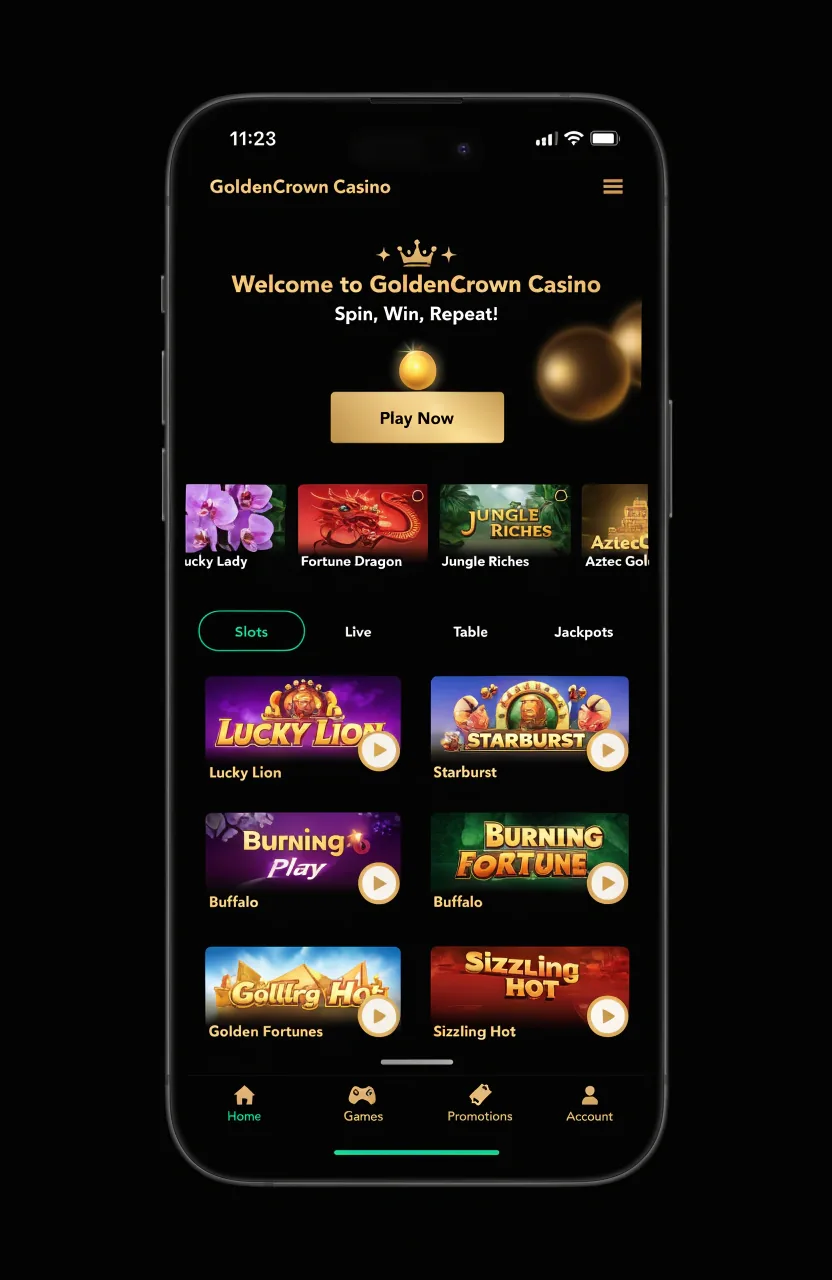
Menace runs as a Progressive Web App. In plain terms, that means the website behaves like an installed app. The Menace PWA can be added to your home screen with a single tap, launches in full-screen mode without browser bars, supports push notifications (on iOS 16.4+ and Android 8+), and never needs the App Store or Play Store.
A PWA is not a workaround or a hack — it is an official technology built into both Apple's Safari and Google's Chrome. When you install it, you get an app-style icon, instant launch, and an experience indistinguishable from a native app for everyday play. The whole install footprint is tiny — around 2 MB — because the app streams content rather than bundling it.
PWA vs Native App — Side by Side
Is a PWA as good as a native app? For a casino, yes — and in some ways better. Here is a feature-by-feature comparison.
| Feature | Menace PWA | Native App |
|---|---|---|
| App Store / Play Store | Not listed | Listed |
| Push notifications | Yes (iOS 16.4+) | Yes |
| Biometric login | Yes (WebAuthn) | Yes |
| Camera for KYC | Yes | Yes |
| Install size | ~2 MB | 50–150 MB |
| Updates | Instant, automatic | Manual / delayed |
| Offline gameplay | No | No (real-money) |
| Performance | Native-like | Native |
The only real trade-off is App Store presence. For everything that matters in play — speed, security, updates — the installed app matches a native build while taking a fraction of the storage.
Why There Is No Menace APK
There is a simple reason Menace has no downloadable app: Apple and Google do not permit real-money casino apps in most markets, including the Philippines. Rather than fight that policy, Menace chose the PWA route — a fully supported, store-free path.
Menace does not distribute an Android APK. Any APK file claiming to be Menace, on sites such as APKPure or APKMirror, is fake and a malware risk — do not install it. The only safe install method is through your browser, described below.
A note on spelling: searches like menny casino app or "menace king casino" all point to the same platform. There is one Menace, accessible only through its official website — there is no separate "menny casino app" and no legitimate APK file anywhere.
How to Install Menace on iPhone
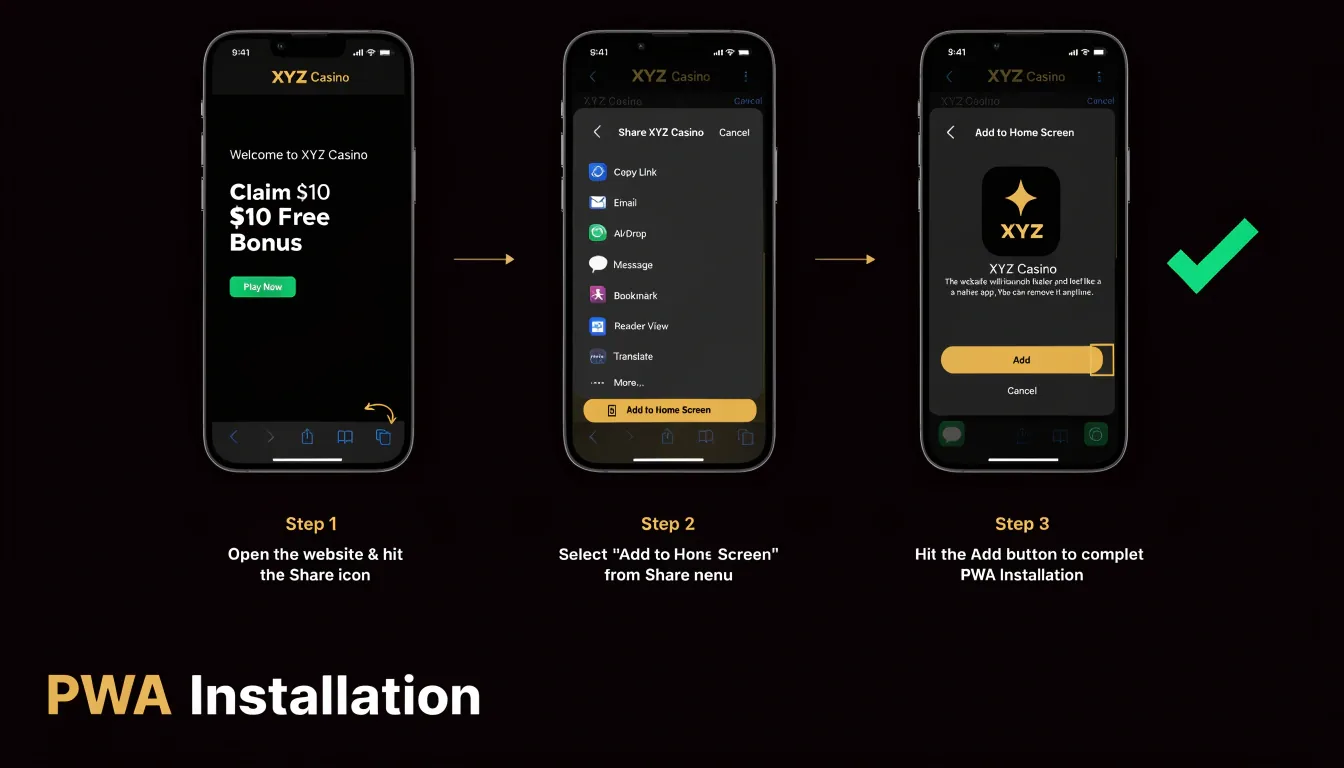
Installing Menace on iPhone takes about 30 seconds. You must use Safari — the Add to Home Screen option does not appear in Chrome on iOS.
- Open Safari (not Chrome) and go to the official Menace website.
- Tap the Share button — the square icon with an upward arrow.
- Scroll down the share sheet and select Add to Home Screen.
- Check the app name and tap Add in the top-right corner.
- Open Menace from the new icon on your home screen — it launches full-screen.
That is the entire process to get Menace on iPhone. iOS 13 is the minimum; iOS 15 or newer is recommended for the smoothest experience and push-notification support.
How to Install Menace on Android
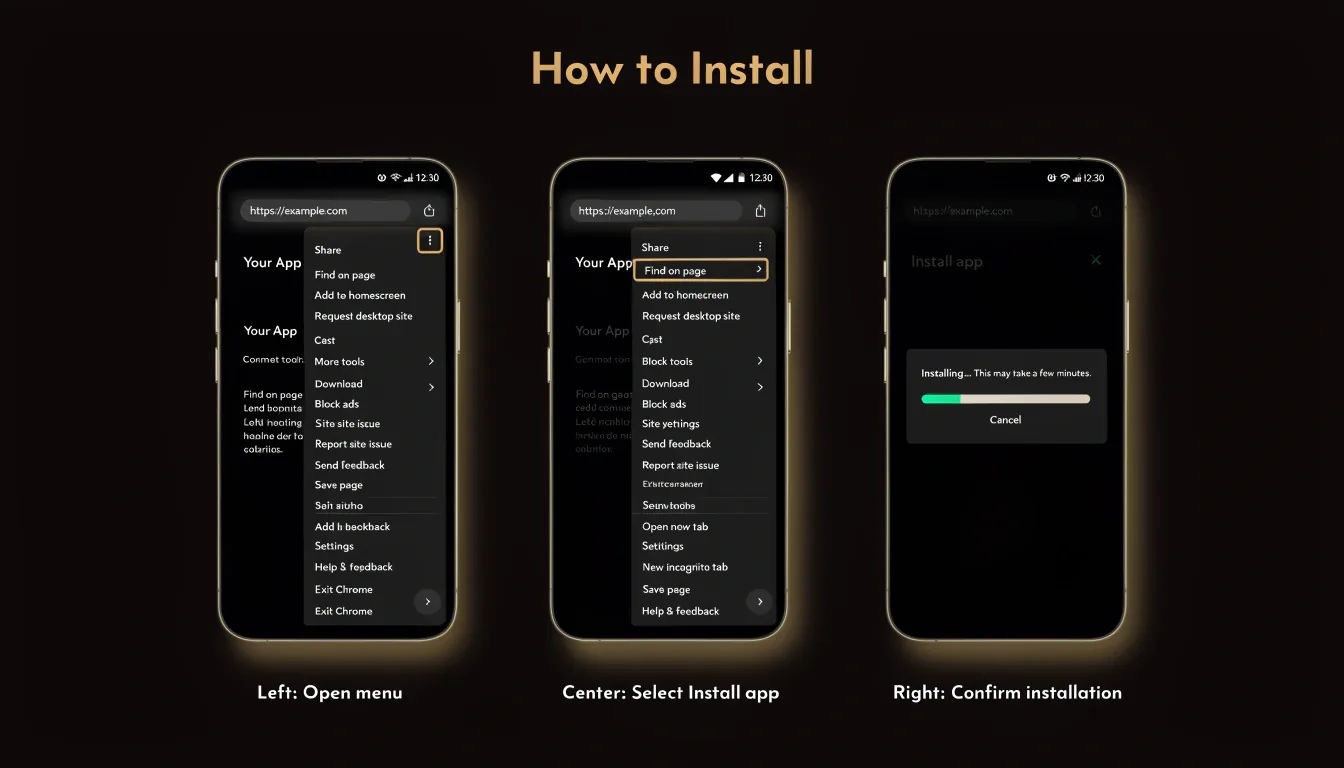
The menace download for Menace on Android is just as quick. Use Chrome, Edge or Samsung Internet — all support PWA installation.
- Open Chrome (or Edge / Samsung Internet) and go to the official Menace website.
- Tap the menu — the three dots in the top-right corner.
- Select Install app or Add to Home screen.
- Confirm the prompt.
- The Menace icon appears on your home screen and in the app drawer.
This menace download requires Android 8 or newer, with Android 10+ recommended. Remember — this is a PWA install, not an APK menace download; you never need to enable "unknown sources".
System Requirements & Compatibility
| Requirement | iOS | Android |
|---|---|---|
| Operating system | iOS 13+ (15+ recommended) | Android 8+ (10+ recommended) |
| Browser | Safari | Chrome 90+, Edge, Samsung Internet |
| RAM | 2 GB+ (4 GB recommended) | 2 GB+ (4 GB recommended) |
| Connection | 3 Mbps for slots · 10 Mbps for live casino · 4G/5G or Wi-Fi | |
Supported browsers for menace casino mobile play are Safari (iOS only), Chrome, Edge, Samsung Internet and Firefox. Not supported: legacy Windows Phone, BlackBerry OS and KaiOS. The menace casino mobile build works on 3G, though graphically heavy slots may load slowly.
The Mobile Game Library
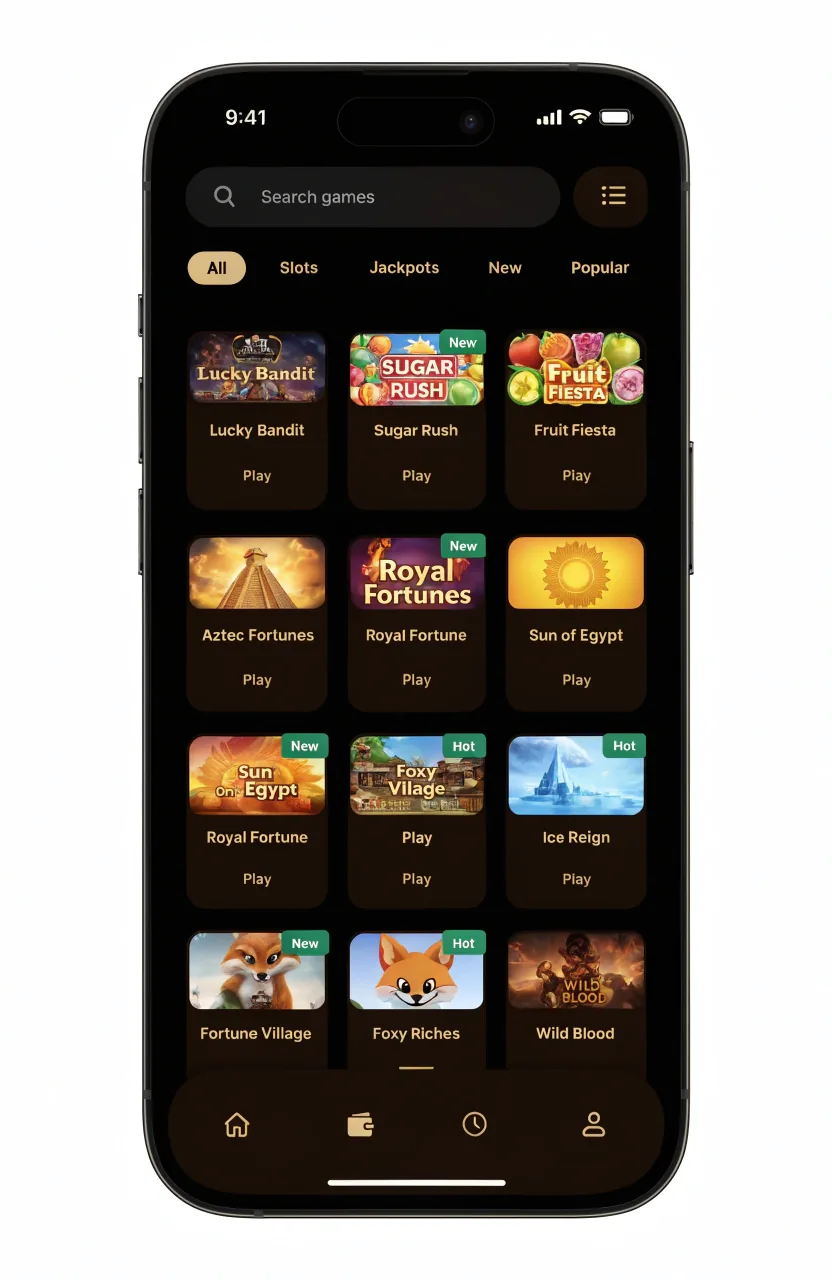
The menace mobile library is not a cut-down version — it is the full desktop catalogue. All 6,000+ slots are available, live casino works flawlessly (Lightning Roulette, Crazy Time), and Megaways titles are optimised for vertical screens. Crash and instant games — Mines, Aviator, Spaceman — are tuned for tap controls, and the exclusive Ebaka Games titles run in portrait mode.
The sportsbook is fully responsive with live odds updates, and Provably Fair verification is available directly in the mobile interface. Providers including Pragmatic Play, NetEnt, Play'n GO, Quickspin, Big Time Gaming, Evolution Gaming and Ebaka Games are all present — nothing is missing on mobile.
What the Menace Mobile PWA Adds
- Push notifications for bonuses and withdrawal status (iOS 16.4+, Android 8+) — opt-in.
- Biometric login via Face ID, Touch ID or fingerprint.
- Apple Pay / Google Pay where supported by payment processors.
- Full-screen mode with no browser chrome.
- One-tap launch straight from your home screen.
- Provably Fair verification built into the mobile UI.
- Crypto wallet integration for fast deposits and withdrawals.
Biometric Login & Withdrawals
The installed app supports WebAuthn, so you can log in with Face ID on iPhone or a fingerprint scan on Android, and confirm withdrawals with biometric 2FA. This is privacy-preserving by design: your biometric data never leaves your device — only a secure cryptographic confirmation is sent.
5G Performance Across the Philippines
On 5G — now widespread across Metro Manila, Cebu and Davao — games load instantly. 4G performs well nationwide. In provincial areas still on 3G, slots remain fully playable, though live sports betting may lag slightly during fast in-play markets.
Mobile-Only Features
A few features exist only on the mobile PWA: web push notifications for bonuses, withdrawal updates and security alerts; location-aware Philippine-only promotions; and on-screen reality-check timers to help you track session length.
Login & Bonuses on Mobile
Logging in and registering on menace casino mobile is identical to desktop. Social sign-up via Google or Telegram gives you one-tap registration, biometrics handle re-login, and — a genuine advantage — no KYC is required just to register. If support ever requests verification, you can complete KYC straight from your phone using the camera. The full walkthrough is in our sign up and login guide.
Every bonus works on mobile exactly as on desktop: the wagering-free 10% lossback up to $1,000, the 9-level VIP programme, daily and weekly reloads, and Telegram exclusives. Wagering terms are identical across surfaces. See the full breakdown in our bonus and promo code guide, and the brand overview on the Menace Casino homepage.
PWA vs Mobile Browser
| Aspect | Installed PWA | Mobile Browser |
|---|---|---|
| Launch | One tap from home screen | Type URL each time |
| Display | Full-screen | Browser bars visible |
| Biometric login | Yes | Limited |
| Push notifications | Yes | No |
| Setup needed | One-time install | None |
The recommendation is simple: if you play more than twice a month, install the PWA. If you are just trying Menace once, the mobile browser is fine — no setup required.
Anti-Phishing — Spot Fake Menace Apps
Because there is no official app store listing, scammers create fake "Menace" apps and clone sites. Protect yourself with this checklist:
- Install only from the official Menace website — never from an emailed link.
- There is no downloadable APK — any APK file is fake.
- Install only through the Safari Share menu or the Chrome menu — never a downloaded installer.
- Beware of phishing clones such as menace-ph.com, menace-app.com or menace.online — these are not Menace.
- Bookmark the official site once, and open Menace from that bookmark every time.
Pros & Cons of Mobile Menace
- Full 6,000+ game library — nothing cut
- Instant one-tap launch
- Biometric login (Face ID / fingerprint)
- Apple Pay / Google Pay where supported
- Tiny ~2 MB install footprint
- Provably Fair verification in the mobile UI
- Crypto wallet integration
- Sportsbook and casino in one PWA
- Not listed in the App Store or Play Store
- On iOS, the PWA installs only from Safari
- Push notifications need iOS 16.4+ on iPhone
- Some legacy slots may not run on older devices
- No offline gameplay
Troubleshooting Common Mobile Problems
- "Add to Home Screen" is missing on iOSUse Safari, not Chrome — the option only appears in Safari on iPhone.
- A slot will not load on mobileClear your browser cache and reload the page.
- Biometric login is not workingCheck your browser Site Settings and confirm biometrics are enabled.
- Push notifications are not arrivingConfirm you are on iOS 16.4+ and that notifications are allowed.
- A crypto deposit will not go throughCheck you selected the correct network — TRC20 vs ERC20 for USDT.
- A game is laggingClose other apps to free up memory, or switch to a stronger connection.
- The icon disappeared from the home screenSimply reinstall the PWA using the steps above.
Menace Mobile — FAQ
01Is there a Menace Casino app?
02Where can I download Menace?
03Is the Menace APK on APKPure safe?
04Does the mobile version have all the games?
05Can I claim bonuses on mobile?
06Does the Menace app work offline?
07How much storage does the PWA take?
08Can I use Apple Pay or Google Pay?
09Is Menace mobile safe in the Philippines?
10How do I uninstall the Menace app?
11Can I do Provably Fair verification on mobile?
Verdict on Menace Mobile
The Menace casino app earns a solid 4.0/5 for mobile. It suits mobile-first players in the Philippines, India and beyond, anyone on iOS 13+ or Android 8+, and players who value crypto wallet integration and instant launch. It is less ideal for those who specifically want an App Store or Play Store listing, or who use older, unsupported devices.
For the vast majority of players, the mobile PWA delivers everything a native app would — the full library, every bonus, biometric security and Provably Fair verification — with none of the storage cost. Install it once and you are set.